
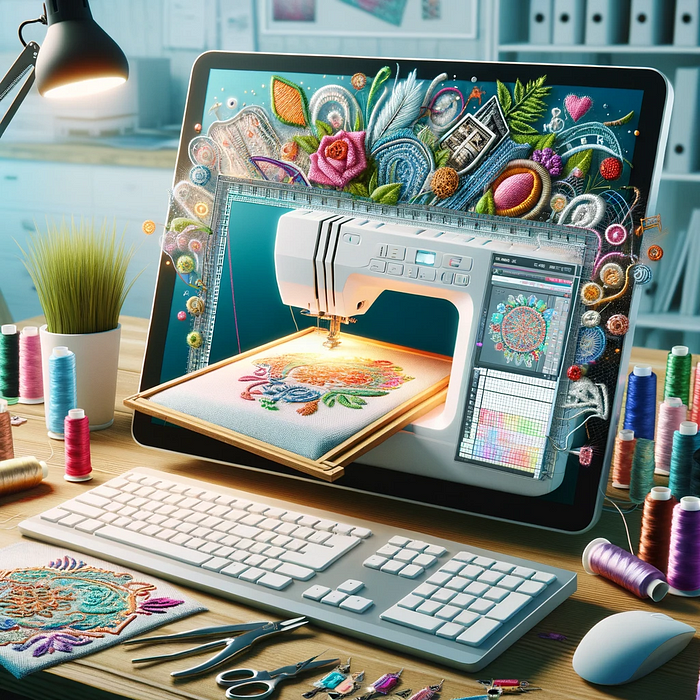
When you hear the words Machine Embroidery, you immediately think big factories embroidering hats and bags with sport team logos. However machine embroidery is being used by many hobbyists and artists to create unique fabric art. Quilters use it to decorate their quilts, some love to spruce up jackets and other fashions, while others focus on creating one of a kind patches that a person can stitch or glue to any fabric surface. Think music bands and small brands giving them out as gifts.
What I find fascinating is how much this niche seems to be a secret. I fell into the machine embroidery world through a job I held. I was looking for work, and as an artist, when the job of embroidery associate and cleaner came up on Craigslist (when Craigslist wasn’t trash), I applied thinking nothing of it. I got the job due to my graphic and sewing background, and fell in love with the process. I learned what I could. Techniques, materials, softwares. The do’s and don’ts.
Next stop. I purchased my own home embroidery machine. A Brother. Spools of embroidery thread, backing material etc… But my true desire was to turn my designs into embroidery. If you are looking for a list of what you need to start, check out my blog post Machine Embroidery: A Beginner’s Guide. Turning your designs into embroidery can only be achieved through the process of digitizing through embroidery software. There are a lot of options out there of course for the hobbyist or small business. You can get free trials to try them all out. Some more generous than others with what the free version will let you do. There is definitely a learning curve.
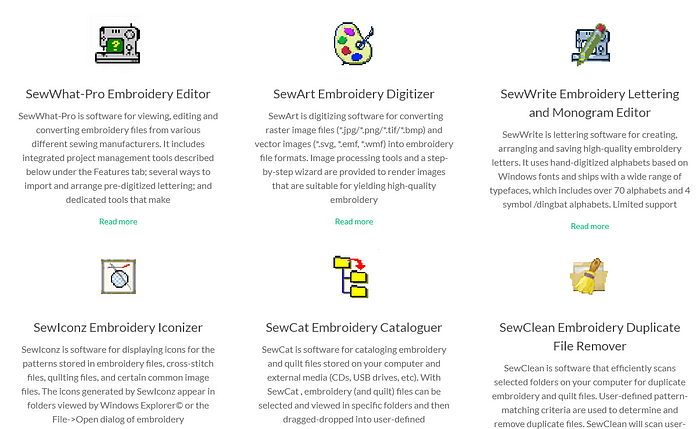
SewWhat-Pro and SewArt
I started out with SewWhat-Pro and SewArt by S and S Computing. SewArt would be your digitizing software and SewWhatPro your editor. These are fantastic for beginners as the built in digitizer can help you get started with what is needed to embroider an image that is more than just black and white. Don’t be fooled by the Y2K look. These are powerful software. They come with a free trial so you have the opportunity to try before you buy.
InkStitch
If you are already familiar with creating SVG, you are either using or have heard of Inkscape. Inkscape is open source, meaning it is free to use and anyone can create extensions for it for free. Inkscape is a powerful software and has a plugin for creating embroidery files called InkStitch. If you are looking to do basic fills, or line work satin stitch designs, this is the cheapest way to do it. It has most of the functionality of paid software, however there is a learning curve. BUT, when needing to create an SVG image from an existing one, the Trace Bitmap tool in Inkscape will be your friend. You can view my article on how to do this here. I won’t go into detail about the process of creating these embroidery files as there are many Youtube videos on how to do this already. Low Tech Linux is definitely a good starting point as he is thorough in his explanations and has a lot of experience. He also teaches the workarounds of what paid software offers (InkStitch does have limitations that more expensive software has automations for like Hatch Embroidery. There are ways of getting the same results albeit they will require a lot more manual labor on your part).
So what am I using now? Well I have been going through the free trial that Wilcom’s Hatch Embroidery offers for the Designer level. I am combining this with Inkscape still as Inkscape will enable me to create vector graphics with clean lines that will yield a much cleaner digitization in Hatch. Wilcom offers to pay for the whole software once the trial is up, or have a 14 month flexpay payment plan to make it more affordable.
What am I planning to do with these files. LOTS.
Machine embroidery never died, but also never truly got the traction it deserved. The biggest one is customizations. Everyone loves to put their initials or family names on things. Either as gifts or for themselves. So you can see the market that remains quite untapped.
If you have an image you want vectorized or turned into an embroidery file, and just don’t feel like spending the time doing it yourself, please feel free to contact me through my Contact page as it is a service that I offer.
If you are enjoying my content, don’t forget to sign up for my new Brigantia Arts newsletter where I explore and share my blog as well as freebies for the Art and Crafters.
Leave a Reply